


Streamfork Review: It Is Worth to Purchase? and Best Alternative
If you’ve been looking for ways to download OnlyFans videos, you’ve probably come across StreamFork. It’s one of those tools people mention a lot, but it’s not always clear how it actually works or whether it’s worth using.
That’s where things get a little confusing. Some users say it’s simple and effective, while others run into issues with setup, pricing, or performance. So before you try it yourself, it makes sense to understand what it really offers. In this StreamFork OnlyFans Downloader review, we’ll share what StreamFork is, how it works, how to use it step by step, and whether it’s actually worth paying for. We’ll also look at a better alternative for Android users if StreamFork doesn’t work as expected.
What Is StreamFork?
StreamFork is a browser extension and mobile-based tool designed to help users download videos and images from platforms like OnlyFans and Fansly. It works directly inside your browser or app interface, adding download options next to media content so users can save files with a few clicks. The main idea behind StreamFork is convenience. Instead of using complex scripts or manual methods, it provides a simple download button on supported platforms. It also supports different video qualities and batch downloads depending on the plan you choose.
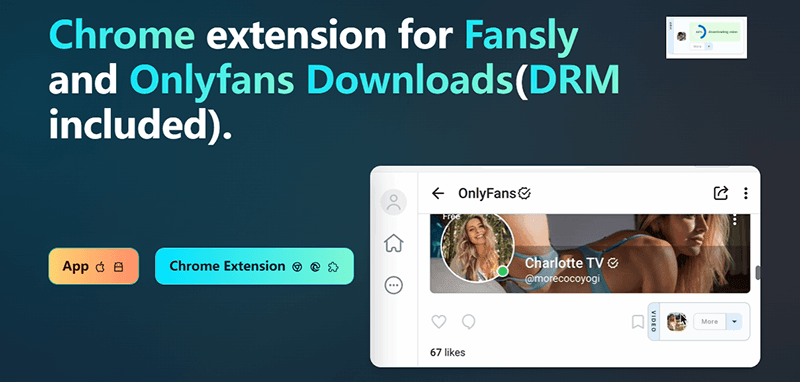

- Supports downloads from OnlyFans and Fansly
- Works as a Chrome extension + mobile app
- Offers video quality options (up to HD levels)
- Can handle DRM-protected content (paid plans)
- Supports batch downloading (higher plans)
- Built-in download manager and progress tracking

- Free version is very limited
- Full features require a paid subscription
- Some features depend on browser compatibility
- Setup can feel technical for first-time users
- Not all content types are supported equally
Pricing
How to Use StreamFork to Download OnlyFans Videos?
StreamFork gives you two main ways to download content: through a browser extension and through its mobile app. Both methods work a bit differently, so let’s go step by step.
1. Via StreamFork Chrome Extension (Kiwi Browser)
This method is mainly for Android users who want to use a browser-based setup.
Step 1: First, download and install the Kiwi Browser on your Android device. You can get it from its official website or trusted source.
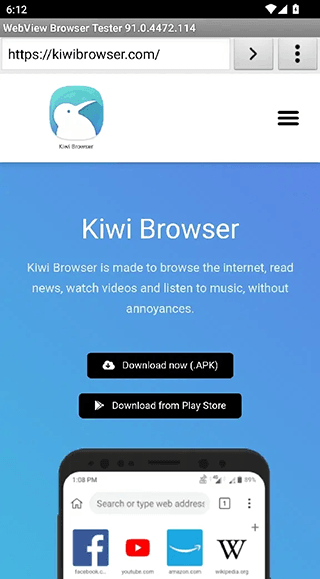
Step 2: Download the StreamFork CRX extension file. Open Kiwi Browser, tap the “+” icon in the top corner, and select the CRX file to install it. Once installed, go to settings and make sure the extension is enabled.
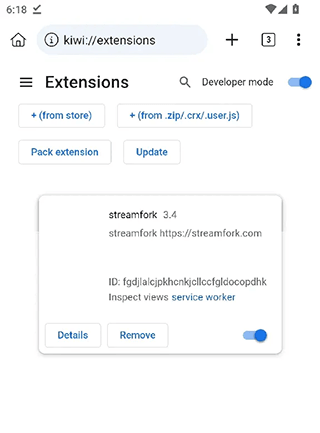
Step 3: Open StreamFork settings and turn off “Enable File Picker”. This step helps avoid errors since mobile devices don’t fully support this feature.
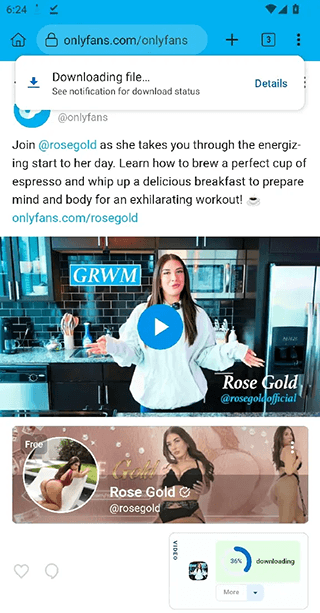
Step 4: Now open OnlyFans in the Kiwi Browser. Under each post, you’ll see a download button added by StreamFork. Tap it to start downloading. A progress bar will appear while the file is being saved.
Step 5: You can also download images and videos from chat galleries the same way. Just open the chat media and tap download.
2. Via StreamFork App (Android & iOS)
This method is more direct and works through the StreamFork app interface.
Step 1: Download the Expo app first.
Step 2: Open Expo and launch StreamFork.
Step 3: Log in to your OnlyFans account inside StreamFork. Browse the content you want, then tap the download button next to videos or images.
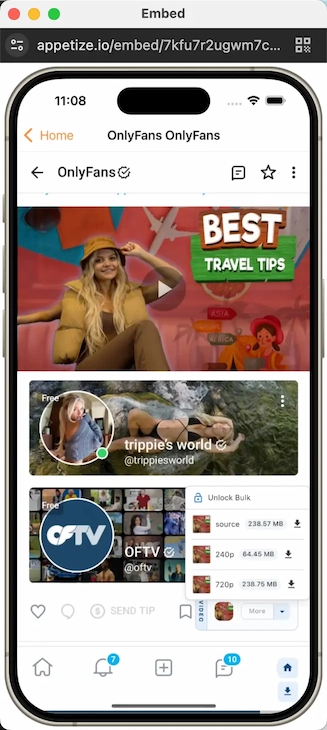
Step 4: Once downloaded, your files will be automatically saved in your phone gallery or file manager.
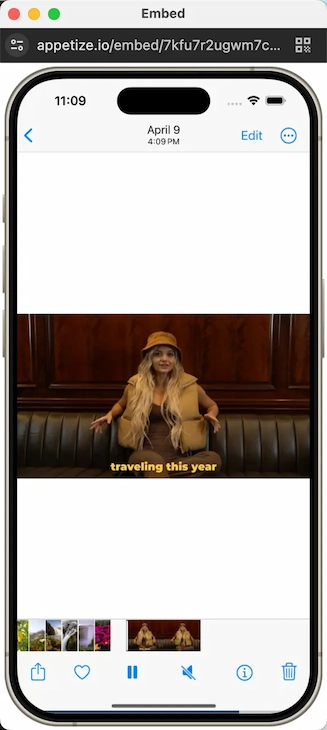
That’s it. Both methods are fairly straightforward, but the browser extension is more flexible, while the app version is easier for quick downloads.
Is StreamFork Worth Purchasing?
StreamFork can be useful depending on what you expect from it, but the experience isn’t the same for everyone. Some users find it helpful for quick downloads, while others feel it doesn’t fully deliver on performance, especially when it comes to video quality and stability. Even though higher resolutions are advertised, some users report that downloads are often limited to lower quality like 720p, with no clear access to original resolution in certain cases. There are also mentions of browser slowdowns or unstable behavior while the extension is active, which can affect normal browsing.
From a pricing point of view, it runs on a subscription model starting with a limited free plan and going up to paid tiers like Basic ($10/month), Professional ($20/month), and Unlimited ($50 for 6 months), with advanced features like DRM downloads and bulk processing locked behind higher plans. Overall, StreamFork can work for basic use, but its limitations in quality consistency, setup experience, and stability mean it may not be the most reliable option for everyone.
StreamFork Not Working? Best Alternative to Download OnlyFans Video on Android?
If StreamFork isn’t working properly or feels unstable on your device, you’re not stuck with it. A much simpler alternative on Android is YT Saver for Android. It’s designed to download videos from Onlyfans and Fansly in HD quality.
YT Saver for Android focuses on making downloads straightforward. You can paste a link, detect the video, and save it directly to your phone in high quality. It also supports multiple resolutions like 720p, 1080p, and 4K, along with format conversion options such as MP4 and MP3. On top of that, it includes smart link detection, batch downloads, and background saving, which makes it more convenient for regular use.

- Support OnlyFans, Fansly, YouTube, Facebook, TikTok and more
- Download OnlyFans DRM Videos in 1080p HD
- Save Videos from OnlyFans Chat/Messages Easily
- Bulk Download Videos from Favorite OnlyFans Creators
- Comes with privacy mode to protect your downloaded Onlyfans contents
How to Download Videos from OnlyFans on an Android Phone?
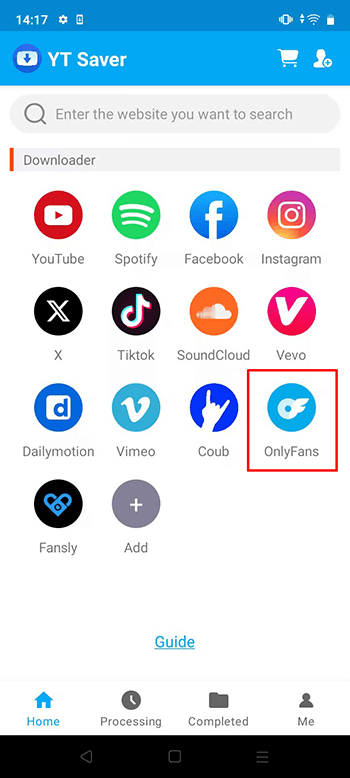
Step 1 Open the YT Saver app on your Android device and wait for the main interface to load, then you can click on the OnlyFans logo to access the site directly.
Step 2 Login your OnlyFans account.
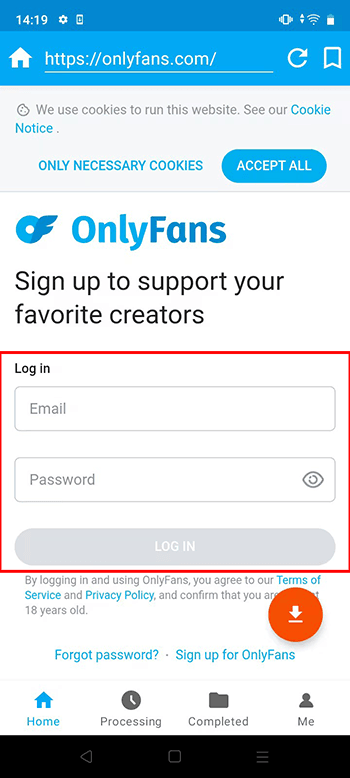
Step 3 Play the video you want to download or open it fully so the app can recognize it, then click on the red arrow button to start the download process.
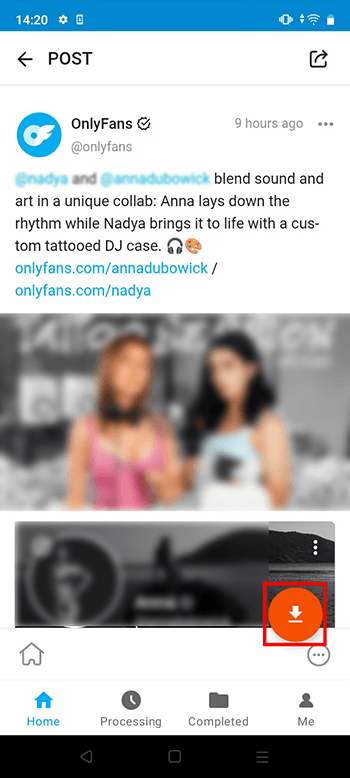
Step 4 Once the video is detected, pick your preferred format and quality.
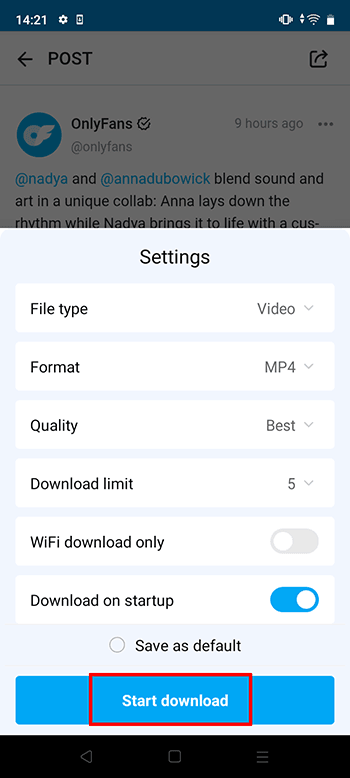
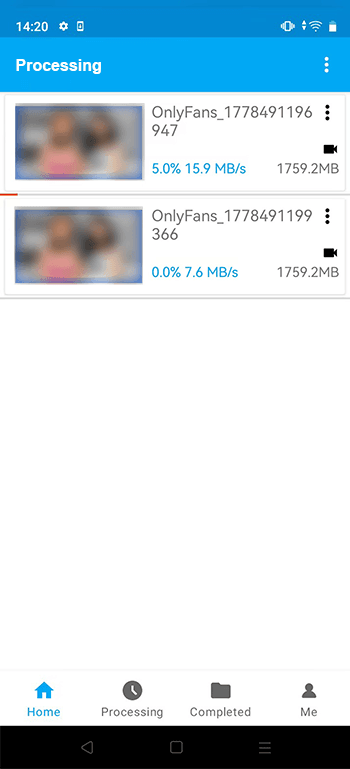
Step 5 Confirm your settings and start the download. You can track progress anytime in the downloads section until the file is fully saved on your device.
Conclusion
StreamFork can be a handy tool if you want quick downloads from OnlyFans or Fansly, but it doesn’t always work smoothly for everyone. Some users like the convenience, while others run into issues with setup, stability, or video quality, depending on the device and plan they use. If you’re looking for something simpler and more stable on Android, YT Saver for Android is a stronger alternative. It’s easier to use, supports multiple formats and resolutions, and gives you a more consistent downloading experience without relying on browser extensions.
- 4 Best Methods to Download Fansly Video on Android Devices
- [2026 Update] 4 Best Fansly Video Downloader for Android Users
- What is OnlyFans++ APK? It is Really Access Premium OnlyFans Contents for Free? Here is The Answer!
- [2026 Update] 4 Best OnlyFans Video Downloader for Android Phones
- AhaSave All Videos Downloader APP for Android Review and Best Alternative

