


What is OnlyFans++ APK? It is Really Access Premium OnlyFans Contents for Free? Here is The Answer!
If you’ve ever searched for ways to unlock content on OnlyFans, chances are you’ve come across something called OnlyFans++ APK. It usually pops up on random websites or forums claiming to give free access to premium content without a subscription. It sounds tempting at first, especially when you just want a quick shortcut instead of paying for multiple creators.
But the problem is that most of these APKs raise a lot of questions around safety, legality, and whether they even work the way they promise. In this article, we will share in detail what OnlyFans++ actually is, and why users often end up looking for safer and more reliable OnlyFans++ APK alternative ways to save content for offline viewing.
What Is OnlyFans++ APK for Android?
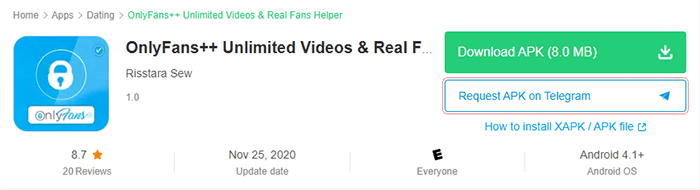
OnlyFans++ APK is usually described online as a modified Android application that claims to unlock premium OnlyFans content without requiring a subscription. In simple terms, it is presented as a third-party “unlocked” version of the platform that tries to bypass normal access rules and give users free entry to paid creator content. In some posts and APK websites, it is promoted as a way to view videos, photos, and messages without paying, but it is not an official app and has no real connection to the original OnlyFans platform.
In reality, most versions labeled as OnlyFans++ are unofficial APK files distributed through random websites rather than trusted app stores. These files often come with unclear sources, and there is no verified version of the app supported or approved by OnlyFans itself.
Can OnlyFans++ Really Access Premium OnlyFans Content for Free?
The short answer is no, not in any rd on the platform itself, not just inside an app.
Most users claim that theseeal or safe way. Even though many APK sites claim that OnlyFans++ can unlock premium content for free, these claims are not reliable. OnlyFans content is protected behind paid subscriptions and server-side systems, which means the access control is handle kinds of “mod APK” tools are either fake, non-functional, or unsafe. In many cases, they are designed to attract users with the promise of free access but end up showing ads, collecting data, or even exposing devices to security risks. Also, unofficial versions often come with malware risks and privacy concerns, especially when installed from unknown sources.
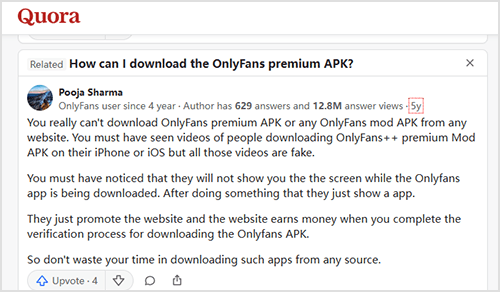
There is also a practical issue: even if a modified app appears to work temporarily, platforms like OnlyFans regularly update their systems to block unauthorized access. That means these tools rarely stay functional for long, and users often end up with broken apps or compromised devices instead of real premium access.
Best Safe Alternative to Get Your OnlyFans Videos Offline Forever?
If you are trying to avoid risky APKs like OnlyFans++ and still want a reliable way to save videos for offline viewing, a safer option is YT Saver for Android. It is designed as a powerful video downloader that works across multiple platforms and focuses more on stability, quality, and device safety instead of modified or unofficial apps.
YT Saver for Android supports downloading videos from Onlyfans and Fansly in HD 1080p, and convert files into MP4 formats, so you can play Onlyfans videos on any devices for offline watching forever. It also allows batch downloading, which means you can save multiple videos at once instead of doing everything manually.

- Support OnlyFans, Fansly, YouTube, Facebook, TikTok and more
- Download OnlyFans DRM Videos in 1080p HD
- Save Videos from OnlyFans Chat/Messages Easily
- Bulk Download Videos from Favorite OnlyFans Creators
- Comes with privacy mode to protect your downloaded Onlyfans contents
How to Download Videos from OnlyFans on an Android Phone?
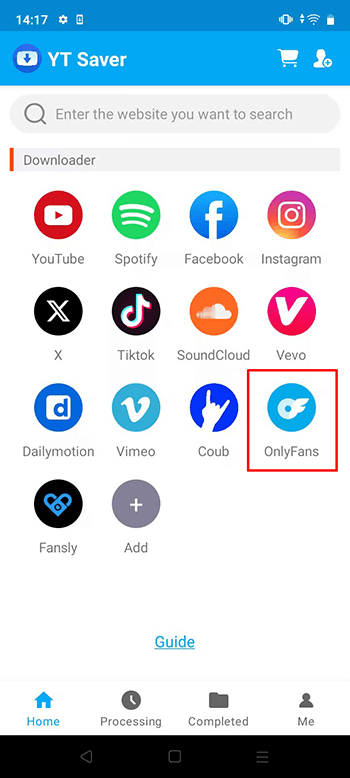
Step 1 Open the YT Saver app on your Android device and access to the main interface, click on the OnlyFans logo.
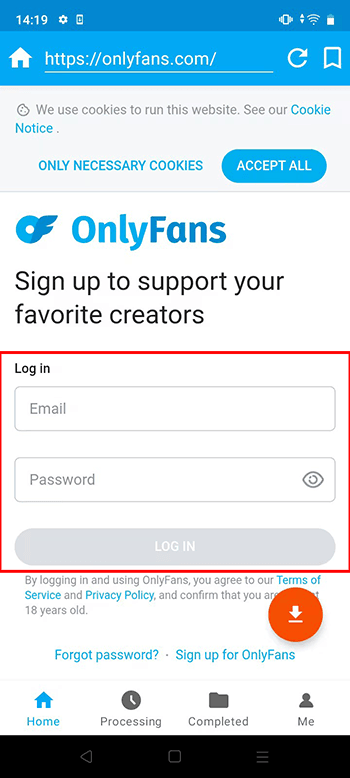
Step 2 Use the built-in browser inside the app to log in your OnlyFans account.
Step 3 Search for the video you want to download.
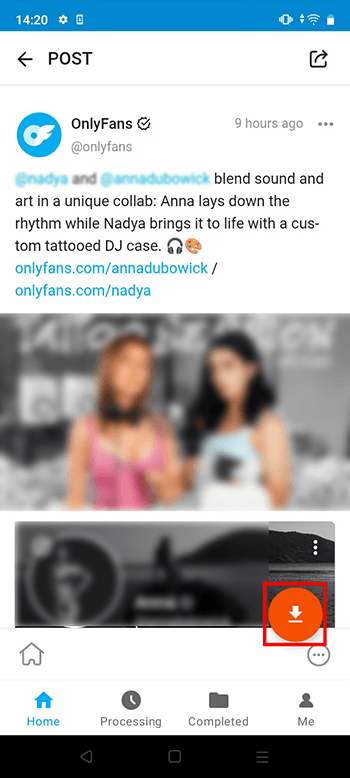
Step 4 Once the video is detected, select your preferred format and quality from the available options.
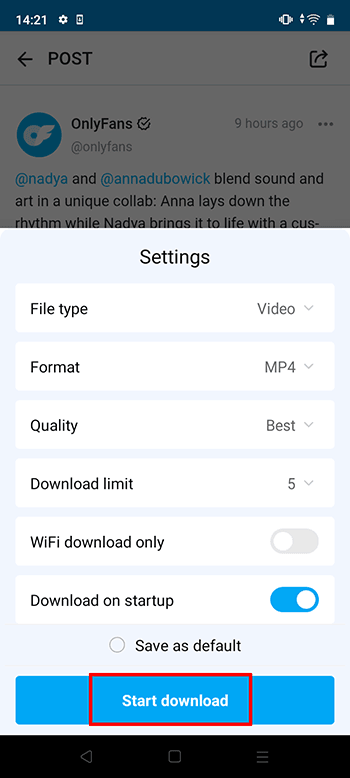
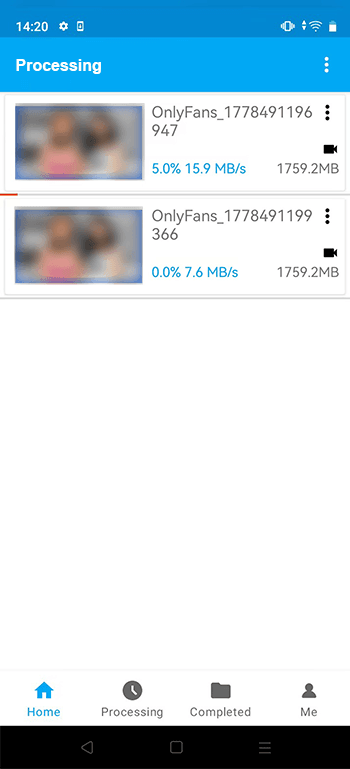
Step 5 Confirm your selection and start the download. You can monitor the progress inside the downloads section until it is fully saved on your device.
Conclusion
To sum it up, tools like OnlyFans++ APK may sound tempting at first, but they come with a lot of uncertainty around safety, reliability, and real functionality. In most cases, they don’t deliver what they promise and can end up creating more issues than solutions. That’s why many users prefer sticking with safer and more stable options instead of risky modified apps. If your goal is simply to save videos for offline viewing, a more practical approach is using a trusted downloader like YT Saver for Android, which focuses on stability, better quality, and wider compatibility. It gives you a smoother experience without depending on unstable APK files or questionable sources.
- 4 Best Methods to Download Fansly Video on Android Devices
- [2026 Update] 4 Best Fansly Video Downloader for Android Users
- Streamfork Review: It Is Worth to Purchase? and Best Alternative
- [2026 Update] 4 Best OnlyFans Video Downloader for Android Phones
- AhaSave All Videos Downloader APP for Android Review and Best Alternative

