YT Saver for Android
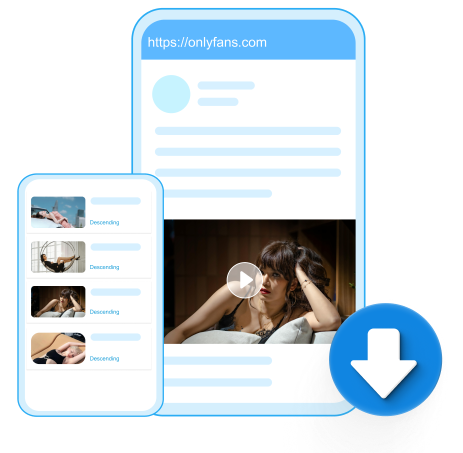


Download videos from subscription-based platforms like OnlyFans and Fansly with YT Saver for Android, you can enjoy all contents from your favorite creators anytime and anywhere.
This is the core function of YT Saver OnlyFans Video Downloader App. YT Saver is specifically engineered to download DRM-protected videos from platforms like OnlyFans. It works by decrypting the content that you, as a paying subscriber, have legitimate access to, allowing you to save a local, offline copy.
This app also supports downloading multiple files at once rather than forcing users to save items one by one.
Unlike many OnlyFans Video Downloader tools that are restricted to desktop softwares, YT Saver has adapted to mobile platforms.
Instead of requiring users to copy and paste links manually, YT Saver for Android features a built-in web browser. Users can log into their OnlyFans account directly within the app. When you navigate to a video or image you wish to save, the app automatically detects the media URL. A download icon typically appears (often in the bottom right corner of the screen), allowing you to save the content with a single tap.
When downloading a Onlyfans video on your mobile phone, YT Saver gives you control over the file size and resolution. You are typically presented with options such as 240p, 720p, the original "source" quality, even the 2K resolution.
Filesizes are often displayed next to each option, allowing you to choose between a smaller, quicker download or the highest possible visual fidelity.
To improve user convenience, YT Saver supports background operation and resume capabilities. This means you can start a download and navigate away from the app or lock your screen without the download stopping.
Additionally, the app acts as a download manager, allowing you to queue up multiple files from different creators. If a download is interrupted due to a network issue, the "resume" feature allows you to continue the download from where it stopped rather than starting over.
Click "Download" then your browser will pop up a window, click "OK" to save the APK to your device.

After you download the APK from our site, tap on "Settings" when you see the popup as shown "Install blocked".

Go to "Security" to set the source of the app installation.

Toggle "Unknown sources" to ON, so you can install the app successfully. Tap "OK" to launch unknown apps.
Our products strictly adhere to international privacy policy standards set by GDPR, PDPA, CCPA Laws.
Get YT Saver on your device and start downloading in minutes.