


[2026 Update] 4 Best Fansly Video Downloader for Android Users
Fansly has become a popular platform for exclusive content, and naturally, people want a way to save videos for offline viewing. Maybe it’s for convenience, maybe it’s to avoid buffering, or maybe you just want everything in one place on your phone.
That’s where a Fansly video downloader for Android comes in. But not every tool works smoothly on mobile, and some options are either limited or not officially supported. In this article, we’ll share whether there’s a proper Fansly app for Android, and then walk through the best tools you can actually use to download Fansly videos easily.
Is There An Fansly App for Android?
Yes, there is an official Fansly app available for Android, but it is not listed on the Google Play Store. Instead, users need to download the APK directly from the official Fansly website to ensure it is safe and legitimate. The app provides full functionality, especially for creators, allowing them to manage their accounts, post content, interact with fans, and even live stream in up to 1080p quality.
However, please note that the Fansly app and website have no built-in option to download Fansly videos or photos. This restriction is in place to protect creator content and prevent unauthorized sharing. Because of this, users who want to save content often turn to third-party tools like browser extensions or downloader software. We will discuss this in detail later.
4 Best Fansly Video Downloader for Android
Since there’s no official way to download Fansly videos directly from Fansly on Android, using a third-party tool becomes necessary. Below are some of the best options that actually work and make the process easier on mobile.
1. YT Saver for Android
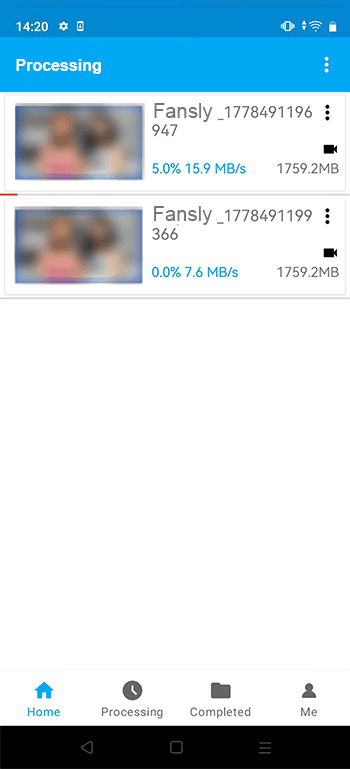
YT Saver for Android is one of the more complete options if you’re trying to download Fansly videos on Android without dealing with too many limitations. It works with Fansly, Onlyfans, TikTok and other popular sites. You can download Fansly videos to MP4 in HD 1080p without any quality loss. It also supports batch downloading, so you’re not stuck saving videos one by one, which is honestly where most basic apps fall short.
Another thing worth mentioning is its focus on protected content and privacy. It’s designed to handle DRM-protected videos and also includes a private mode, so your downloaded files stay hidden.

- Supports Onlyfans, Fansly, TikTok and more
- Download Fansly up to 1080p quality
- Batch download multiple videos at once
- Convert Fansly videos to MP4, and mores
- Private mode for secure storage

- Not available on Google Play Store
- Performance depends on device capability
- Not all websites are reliably supported
- Performance issues with large or repeated downloads
- Limited advanced features compared to newer tools
How to Download Videos from Fansly on an Android Phone?
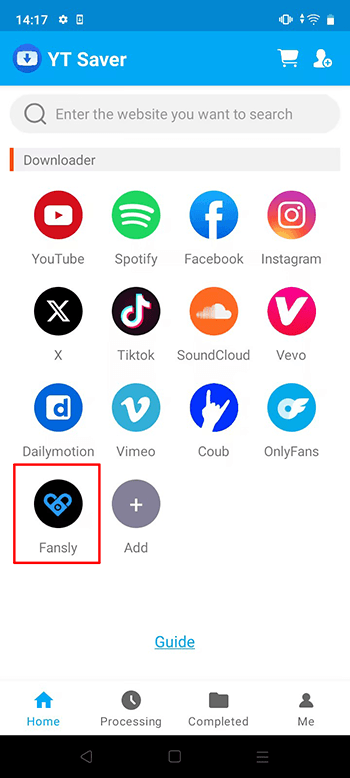
Step 1 Open the YT Saver app on your Android device and wait until the main dashboard loads. Click on the Fansly logo to access the Fansly site.
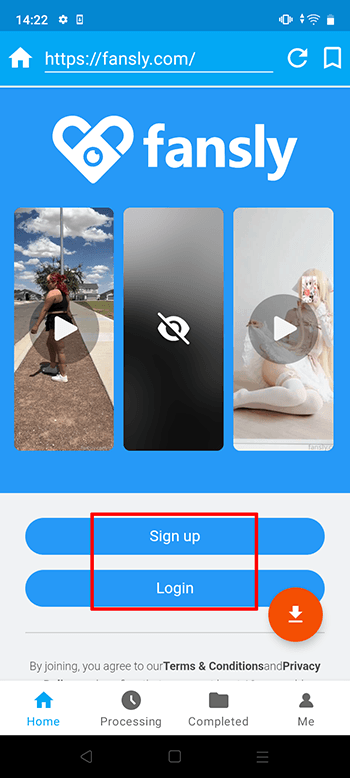
Step 2 Login your Fansly account via built-in browser inside the app.
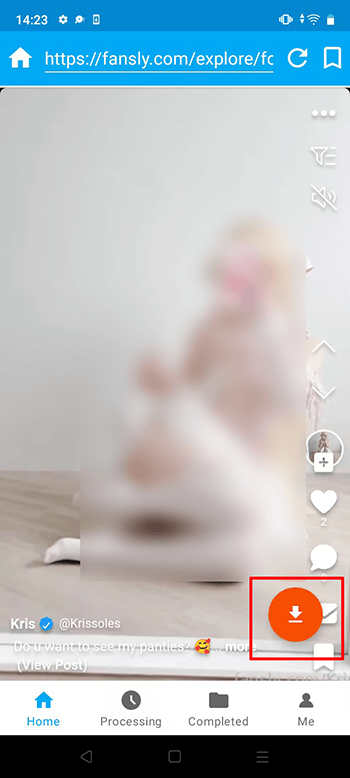
Step 3 Search for the video you want to download, then play it so the app can recognize it, click on the red arrow button to start the download process.
Step 4 Once the video is detected, select the format and quality you prefer.
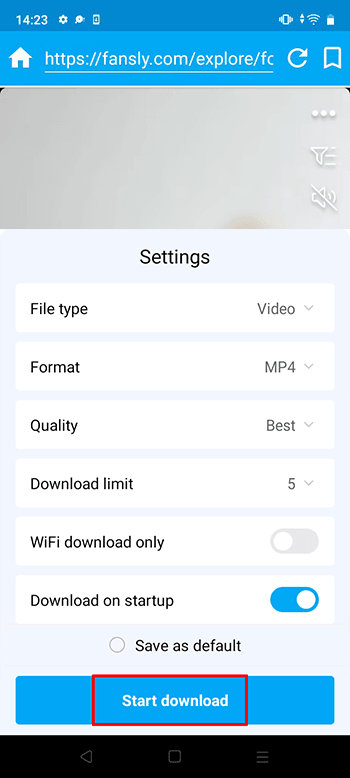
Step 5 Start the download and monitor its progress in the downloads section. Your file will be saved once the process is complete.
2. Streamfork
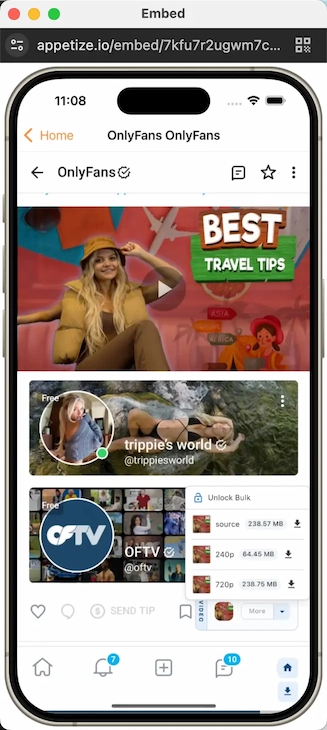
Streamfork is one of the few tools that actually focuses on Fansly specifically. Instead of being a general downloader, it works as a browser extension that integrates directly into the Fansly website. Once installed, you’ll see download options appear while browsing content, which makes the process feel more built-in rather than separate. One important thing to know is that it only works for content you already have access to, meaning you still need an active subscription.
- Designed specifically for Fansly downloads
- Works directly inside the browser (no extra steps)
- Supports downloads from posts and messages
- Allows selecting video quality (up to 1080p)
- Requires subscription for full features
- Outputs videos in TS format (may need conversion)
- Needs browser setup (not beginner-friendly)
3. All Video Downloader
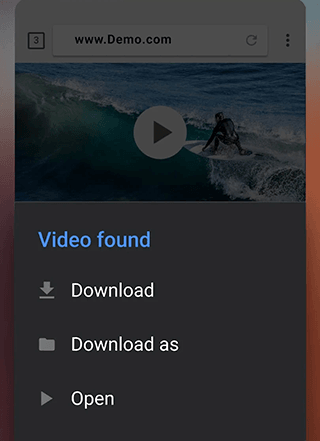
This All Video Downloader Android app (commonly listed as “Video Downloader” on Google Play) is more of a general-purpose downloader rather than something built for Fansly specifically. It works by detecting videos from websites or allowing you to paste links, then saving them directly to your phone. It’s simple to use, which is why many people try it first. You open the app, browse or paste a link, and download. However, because it’s not designed specifically for Fansly, results can be inconsistent depending on how the content is protected.
- Easy to use for beginners
- Built-in browser for direct downloads
- Supports multiple formats and resolutions
- Works with many websites
- Not dedicated to Fansly (limited compatibility)
- Ads can interrupt usage
- May fail with protected or DRM content
4. iViGo Fansly Downloader
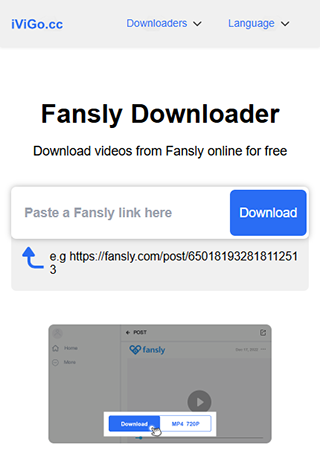
iViGo Fansly Downloader is a simple online Fansly downloader that works directly in your browser. You don’t need to install anything; just copy the Fansly video link, paste it into the tool, and download. It’s designed for quick use, especially if you only need to save a video occasionally. But like most online tools, it’s more basic and may not support advanced features like batch downloads or high-resolution options consistently.
- No installation required
- Free and easy to use
- Works on any device with a browser
- Supports multiple platforms
- Limited features compared to apps
- Quality and speed may vary
- May not work with protected content
Conclusion
So, now it’s clear that you can not download Fansly videos on Android isn’t as direct as you’d expect, mainly because there’s no official app that supports offline saving. That’s why using the right tool makes all the difference. Some options keep things simple, while others give you more control over quality, format, and speed. If you just need occasional downloads, lighter tools can work. But if you want something more reliable that handles high-quality videos, batch downloads, and format conversion, YT Saver for Android is the better choice. It brings everything into one place and saves you from repeating the same steps again and again. So if you’re looking for a smooth and more complete way to download Fansly videos on Android, YT Saver is definitely worth trying.
- 4 Best Methods to Download Fansly Video on Android Devices
- What is OnlyFans++ APK? It is Really Access Premium OnlyFans Contents for Free? Here is The Answer!
- Streamfork Review: It Is Worth to Purchase? and Best Alternative
- [2026 Update] 4 Best OnlyFans Video Downloader for Android Phones
- AhaSave All Videos Downloader APP for Android Review and Best Alternative

