


[2026 Update] 4 Best OnlyFans Video Downloader for Android Phones
If you use OnlyFans on an Android device, you may be wondering whether there is an official app available and how video downloading actually works. There is a lot of mixed information online, which can make it difficult to understand what is real and what is not.
In this article, we will explain whether an OnlyFans downloader app exists, what features it provides, and the best apps that you can use, which we will share for downloading or saving content for offline viewing. Keep reading!
Is There An OnlyFans App for Android?
The simple answer is no, there is no official OnlyFans app available for Android or iOS. You won’t find it on the Google Play Store, and you also won’t see it on the Apple App Store. The platform is designed to work mainly through its website, which you can access directly from any mobile browser.
The main reason for this is app store restrictions. Both Google and Apple have strict policies around adult content, which makes it difficult for a platform like OnlyFans to operate as a traditional downloadable app. Because of this, users usually just log in through Chrome or Safari, or they create a home screen shortcut that feels like an app but is still just the website.
There is also confusion because some third-party apps or APK files claim to be “OnlyFans apps,” but these are not official and are not supported by the platform itself. In most cases, the safest and most reliable way to use OnlyFans on Android is still the browser version.
4 Best OnlyFans Video Downloader for Android
Below are the 4 best apps that you can use to download OnlyFans content for Android.
1. YT Saver for Android
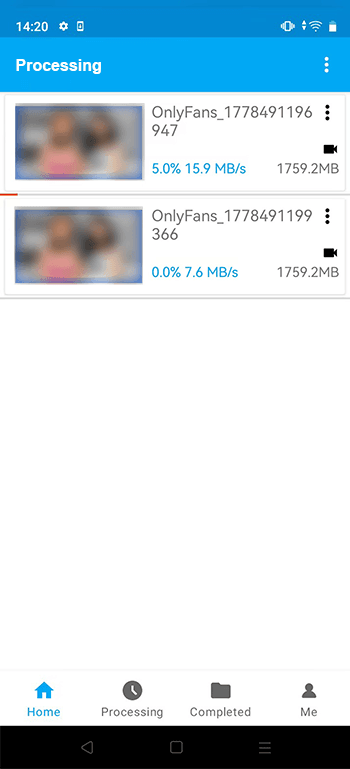
YT Saver for Android is a mobile video downloader designed for users who want to save online videos in different formats and resolutions. It is mainly used for downloading HD content from various websites and then converting it into formats like MP4, MP3, AAC, or M4A. It focuses on speed, simplicity, and giving users more control over how files are saved on their devices.
Another key part of YT Saver is its ability to handle higher quality downloads, including 720p, 1080p, and 4K video resolution support. It also includes features like smart link detection, batch downloading, and playlist saving, which help users manage multiple files more easily. On top of that, it offers a more structured download experience compared to basic apps that only handle single video links.

- Support OnlyFans, Fansly, YouTube, Facebook, TikTok and more
- Download OnlyFans DRM Videos in 1080p HD
- Save Videos from OnlyFans Chat/Messages Easily
- Bulk Download Videos from Favorite OnlyFans Creators
- Comes with privacy mode to protect your downloaded Onlyfans contents
How to Download Videos from OnlyFans on an Android Phone?
Step 1: Open the YT Saver app on your Android phone and allow the main interface to fully load. This is the central area where all download tools and options are available.
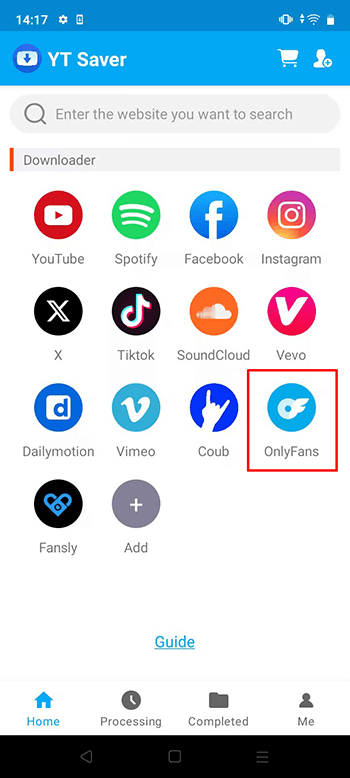
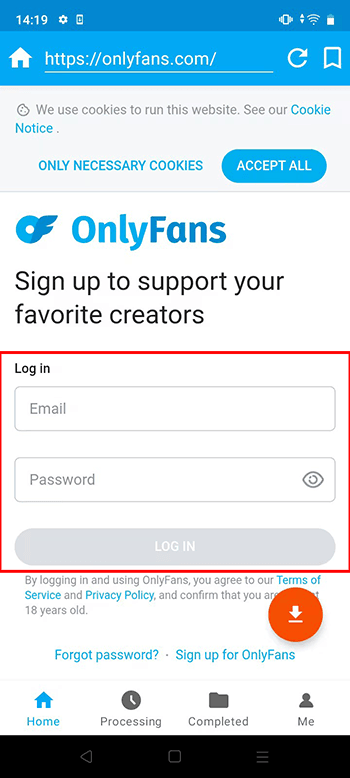
Step 2: Open Onlyfans.com websites directly and login Onlyfans account.
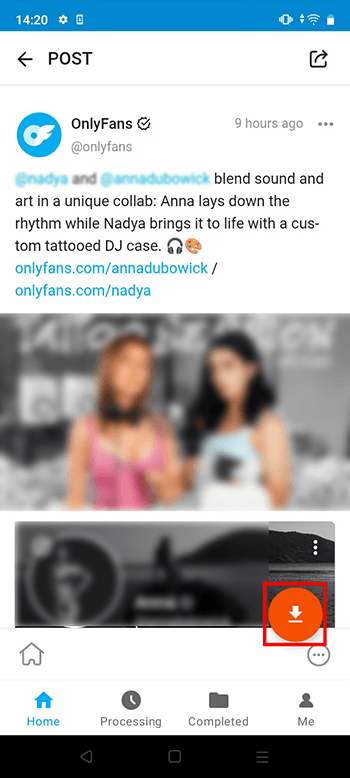
Step 3: Play or open the video and let the app recognize it. You can click on the Download button to start the downloads process.
Step 4: After detection, choose your preferred output format and quality. Options usually include MP4, MP3, AAC, and M4A depending on your needs.
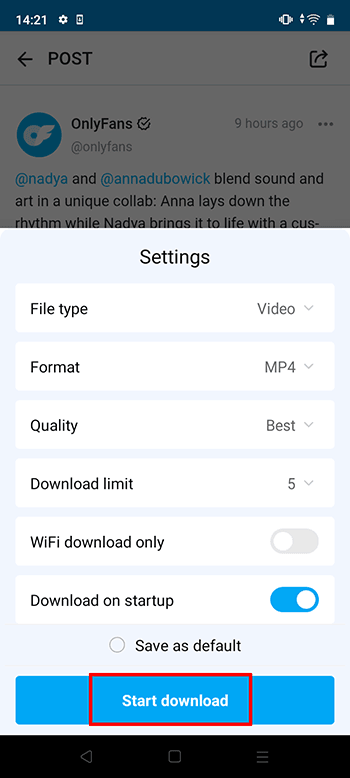
Step 5: Confirm your settings and begin the download. You can track progress anytime from the downloads section until the file is fully saved.
2. StreamFork OnlyFans App
StreamFork is a tool that works as a browser-based downloader and mobile solution for saving OnlyFans content. It is designed to run through an in-app setup where users log in and access media directly from their account inside the platform interface. Instead of relying on external downloads, it integrates the browsing and downloading process in one place, making it easier to manage content you already have access to.
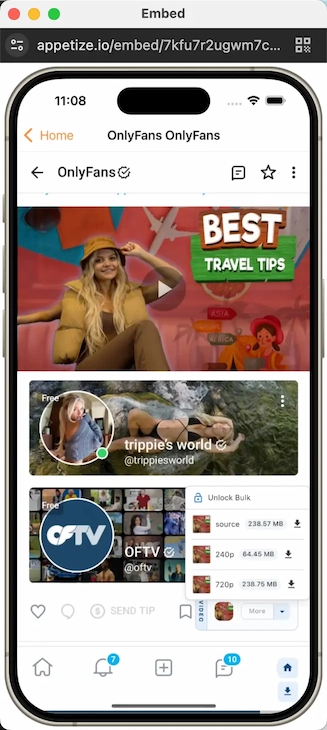

- Supports downloading videos, images, and chat media
- Can handle bulk downloads in supported versions
- Works through a built-in browser system
- Offers filters for organizing content

- Requires setup through external installation methods
- Some features depend on subscription plans
- Not available as a standard app store download
- Performance can vary depending on device and version
3. AhaSave Video Downloader
AhaSave is an Android video downloader app that allows users to save online videos through its built-in browser system. It works by detecting playable media inside websites and then offering download options in different quality levels.
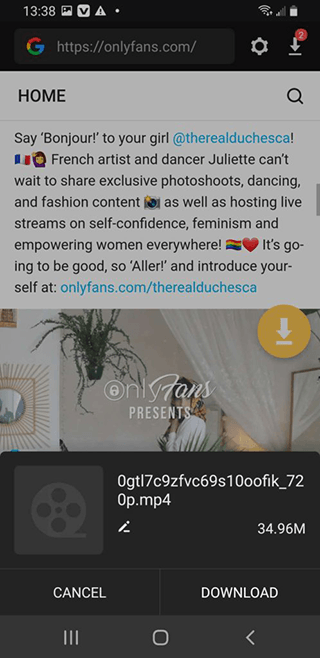
- Easy in-app browser for direct video access
- Auto-detects downloadable media
- Supports multiple video qualities
- Simple interface for beginners
- Heavy reliance on ads in the free version
- Detection does not always work on every site
- Performance can feel inconsistent with large files
- Limited advanced download control
4. iVigo OnlyFans Downloader
iVigo OnlyFans Downloader is a web-based downloader that allows users to save videos by pasting links into its online tool. It does not require installation and works directly through a browser, which makes it lightweight and quick to use.
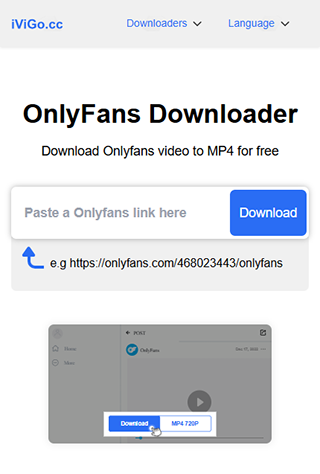
- No installation required
- Works directly from browser
- Simple link-based download process
- Supports multiple video formats
- Depends heavily on link availability
- No advanced features like batch downloading
- Limited control over quality settings
- Not as stable as full software solutions
Conclusion
To wrap it up, Android users don’t really have a simple or official way to manage OnlyFans downloads, which is why so many different tools exist in the first place. Some options are lightweight and easy to try, but they often come with limits like ads, unstable performance, or missing features when you actually need them. If you want something more reliable for long term use, YT Saver for Android is a stronger choice. It focuses on stable downloads, better video quality, and more control over how you save and manage files. Instead of jumping between different apps that may or may not work, it gives you a more consistent experience in one place.
- 4 Best Methods to Download Fansly Video on Android Devices
- [2026 Update] 4 Best Fansly Video Downloader for Android Users
- What is OnlyFans++ APK? It is Really Access Premium OnlyFans Contents for Free? Here is The Answer!
- Streamfork Review: It Is Worth to Purchase? and Best Alternative
- AhaSave All Videos Downloader APP for Android Review and Best Alternative

